
Video 01
First Launch & Journal Setup
Set up the first journal account, understand the local-first database and learn the current navigation, import, review and backup starting points.
Watch tutorialForgalis TradingJournal tutorials
Follow the FTJ workflow from first launch and trade capture through imports, structured review, broker connections and execution-level trade construction.
These are product walkthroughs for the Windows app. They explain the journal workflow and do not provide trading advice.
1.1.25 note: The written summaries are updated for the final 1.1.25 application scope. The embedded YouTube recordings were published earlier and may show the previous interface until the tutorial videos are re-rendered.
Tutorial series
The series follows the product in a practical order, but each tutorial also works as a focused reference.
Set up the first journal account, understand the local-first database and learn the current navigation, import, review and backup starting points.
Watch tutorial
Create a manual trade with the current Entry workflow, Initial SL/TP, Planned R, optional Planned Targets and separate setup/result context.
Watch tutorial
Import CSV or Excel history, verify mapping and destination data, understand Units/Lots and review duplicate and Demo Mode behavior.
Watch tutorial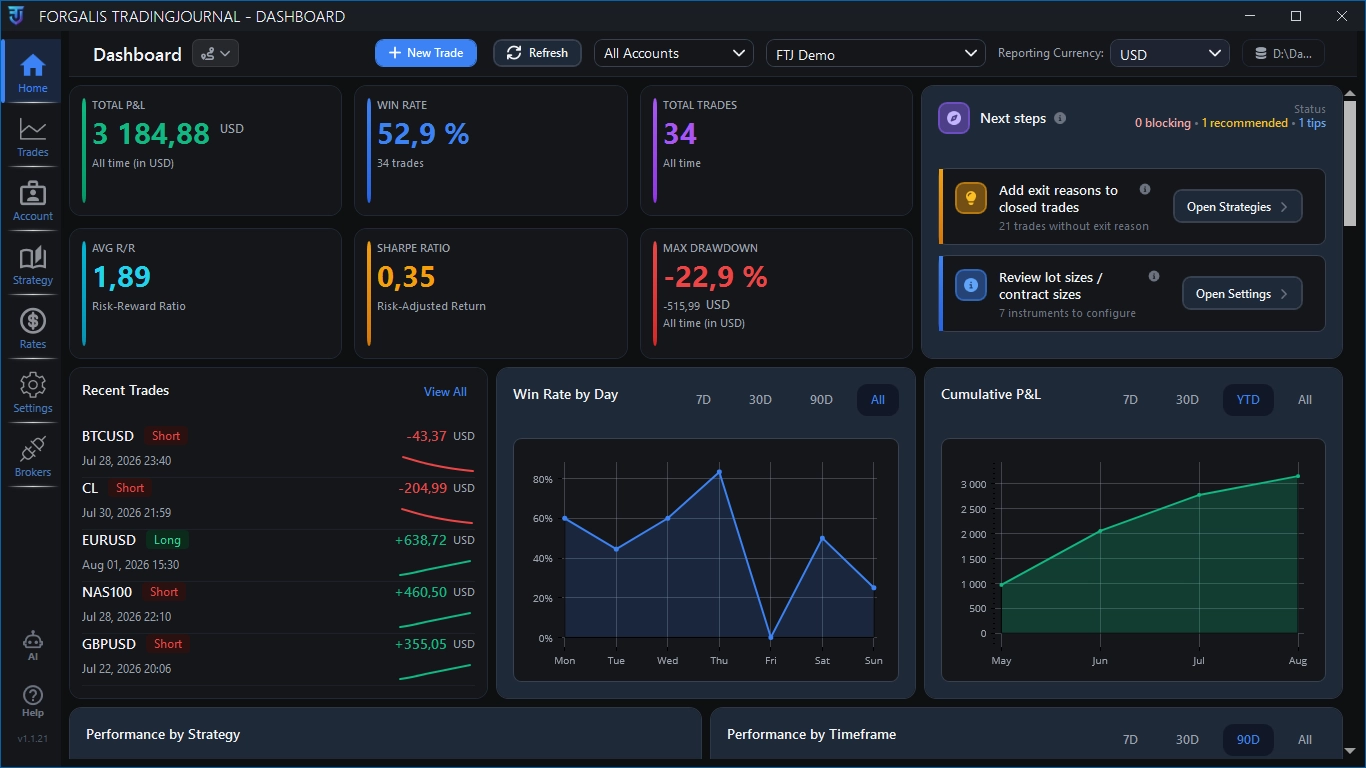
Review the current Dashboard scope and headline metrics, understand Break-Even and missing-FX behavior, then move to Reports for deeper analysis.
Watch tutorial
Manage the four reusable review catalogues and apply setup tags, exit reasons and structured Mistakes to trades.
Watch tutorial
Attach screenshots, keep Pre-Trade Plan with setup context, add Trade Notes and record Self-Reflection ratings, Mistakes and Additional Reflection.
Watch tutorial
Use the read-only cTrader, MT4 and MT5 workflows, link accounts, preview/import selected executions and understand open-position boundaries.
Watch tutorial
Manage execution-based journal trades, scale-ins and partial exits while keeping actual fills separate from Planned Targets and Stop History.
Watch tutorial