Exchange Rates
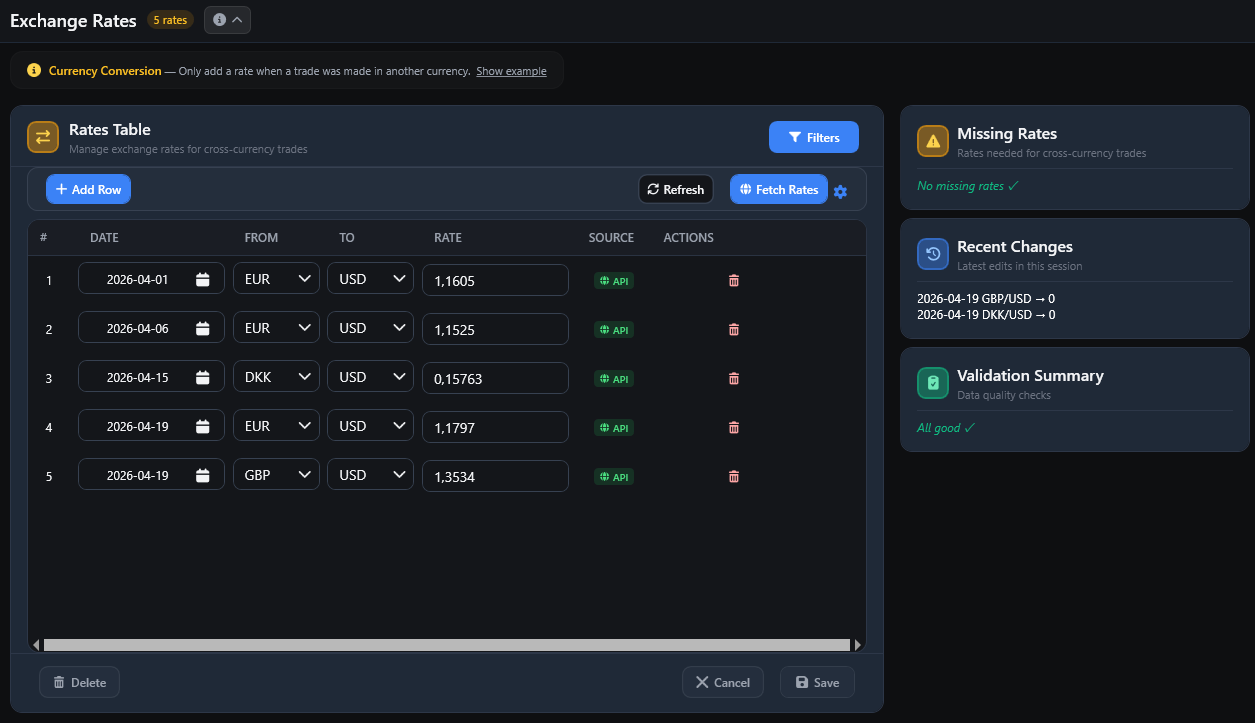
FTJ uses exchange rates when monetary values must be converted between currencies. Open Rates from the sidebar to manage exchange rates and review missing conversion data.
When Exchange Rates Are Needed
A rate may be required when:
a trade or profit currency differs from the account base currency; or
multiple accounts are combined into a Reporting Currency that differs from one or more account base currencies.
If the relevant currencies already match, no conversion is required.
Missing Rates
When FTJ cannot find a usable conversion path:
converted base/reporting-currency values can remain unavailable;
affected trades can be excluded from reporting-currency monetary calculations;
the Dashboard can show how many trades were excluded because of missing FX data.
FTJ does not silently add incompatible currencies together.
Managing Rates Manually
To add a rate:
Click Add.
Select the date.
Choose the From and To currencies.
Enter the conversion rate.
Click Save.
Rates can be edited or deleted when they are not protected by existing trade references.
Rates Used by Trades
A rate referenced by stored trade data is protected from destructive key changes or deletion. This prevents required historical conversion data from being removed accidentally.
Fetching Rates Automatically
Note
Fetching rates requires an internet connection.
Click Fetch Rates to scan for missing supported fiat-currency rates and request available historical values from the online rate service.
The automatic source covers supported fiat currencies.
Cryptocurrency rates such as BTC and ETH are not supplied and may need manual entry.
FTJ may use an available inverse or intermediate conversion path where supported.
Filters and Validation
The Rates view provides tools for finding stored rates and reviewing missing conversion data. The Dashboard guidance panel can also direct you to Rates when trades are excluded because of missing FX information.
Unsaved Changes
Leaving Rates or closing the application with unsaved rate changes prompts you to save, discard or cancel the navigation.
Demo Mode
Exchange rates are supporting reference data and remain manageable in Demo Mode.
Demo Mode users can:
add and save rates;
edit eligible rates;
delete eligible unused rates;
fetch supported online rates.
Normal protection for rates already used by trades still applies.